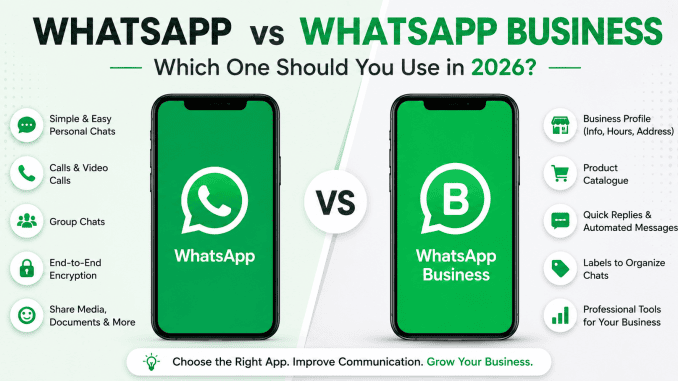
WhatsApp and WhatsApp Business are among the most common comparisons people make before creating a new account. While both applications allow users to send messages, make voice and video calls, and share files, they are designed for different purposes.
For many South Africans, WhatsApp has become an essential part of everyday life. It’s used to chat with family, coordinate with colleagues, and even buy and sell products. But if you own a business—or you’re thinking about starting one—you may be wondering whether it’s time to switch to WhatsApp Business.
The good news is that both apps are developed by Meta and share a familiar interface, making the transition simple. However, WhatsApp Business offers several professional tools that can help businesses improve customer communication, save time, and present a more professional image.
In this guide, we’ll compare the two apps side by side, explain their advantages and disadvantages, and help you decide which one best suits your needs.
Table of Contents
1. What Is the Difference Between WhatsApp and WhatsApp Business?
At first glance, both apps look almost identical. They allow you to:
- Send text messages
- Make voice and video calls
- Share photos, videos and documents
- Create group chats
- Share your live location
- Use end-to-end encryption
The main difference is their intended purpose.
WhatsApp is designed primarily for personal communication between friends, family and colleagues.
WhatsApp Business is designed specifically for businesses and includes tools that help companies communicate more professionally with customers.
If you regularly interact with customers, answer enquiries or sell products, WhatsApp Business offers features that the standard app simply doesn’t include.
2. WhatsApp vs WhatsApp Business: Side-by-Side Comparison
| Feature | WhatsApp Business | |
|---|---|---|
| Personal messaging | ✅ | ✅ |
| Voice & video calls | ✅ | ✅ |
| Group chats | ✅ | ✅ |
| End-to-end encryption | ✅ | ✅ |
| Business profile | ❌ | ✅ |
| Product catalogue | ❌ | ✅ |
| Greeting messages | ❌ | ✅ |
| Away messages | ❌ | ✅ |
| Quick Replies | ❌ | ✅ |
| Customer labels | ❌ | ✅ |
| Business hours | ❌ | ✅ |
| Website & email information | ❌ | ✅ |
Although the messaging experience is almost the same, WhatsApp Business includes several tools that help businesses provide better customer service.
3. Advantages of WhatsApp
For many users, the standard WhatsApp app remains the best choice.
Pros
- Simple and easy to use.
- Perfect for personal communication.
- Ideal for chatting with friends and family.
- No unnecessary business features.
- Familiar interface used by billions of people.
Cons
- No business profile.
- No automated responses.
- Cannot showcase products.
- Difficult to organise customer conversations.
- Limited professional branding.
If you only use WhatsApp for personal conversations, the standard version is more than sufficient.
4. Advantages of WhatsApp Business
WhatsApp Business is designed to help businesses communicate more efficiently while building trust with customers.
Pros
- Create a professional business profile.
- Display business hours, website and contact details.
- Add a product catalogue.
- Send automated greeting messages.
- Create away messages outside business hours.
- Save time with Quick Replies.
- Organise conversations using customer labels.
- Build credibility with customers.
Cons
- Takes slightly longer to set up.
- Some advanced business features require the WhatsApp Business Platform.
- Requires regular maintenance to keep product information up to date.
For businesses that regularly communicate with customers, these benefits often outweigh the extra setup time.
5. Which App Is Best for You?
Choosing between WhatsApp and WhatsApp Business depends on how you intend to use the app.
Students
If your primary goal is chatting with classmates, friends and family, the standard WhatsApp app is the better option.
Freelancers
Freelancers who communicate with clients regularly can benefit from WhatsApp Business. Features like Quick Replies and business profiles create a more professional experience while helping save time.
Small Businesses
For startups, online stores, restaurants and service providers, WhatsApp Business is generally the better choice. It helps organise customer enquiries, display products and improve response times.
Medium and Large Businesses
Businesses that manage high volumes of customer enquiries should consider WhatsApp Business. Larger organisations may also benefit from the WhatsApp Business Platform, which offers advanced integrations and customer support capabilities.
6. Is WhatsApp Business Better?
One of the most searched questions is whether WhatsApp Business is actually better than the standard app.
The answer depends on your needs.
If you’re looking for a messaging app for personal use, WhatsApp remains the ideal choice.
However, if you own a business or regularly communicate with customers, WhatsApp Business provides additional tools that can improve customer service, strengthen your brand and make daily communication more efficient.
Rather than being “better”, it’s better suited for business use.
7. Final Recommendation
Here’s a simple guide:
- Choose WhatsApp if you mainly chat with friends, family and colleagues.
- Choose WhatsApp Business if you run a business, freelance professionally or regularly communicate with customers.
Many South African entrepreneurs start with WhatsApp Business because it’s free, easy to use, and offers practical features that support business growth without requiring expensive software.
As your business grows, you can continue using the app or explore more advanced business communication solutions if needed. For more information and features on WhatsApp and WhatsApp Business, visit the official site here.
Frequently Asked Questions
Can I use WhatsApp and WhatsApp Business on the same phone?
Yes. You can use both apps on the same device as long as each app is registered with a different phone number.
Is WhatsApp Business free?
Yes. The WhatsApp Business app is free to download and use. Standard mobile data charges may apply depending on your network provider.
Can I switch from WhatsApp to WhatsApp Business?
Yes. During setup, you can migrate your existing WhatsApp account to WhatsApp Business while keeping your chat history, provided you follow the in-app migration process.
Does WhatsApp Business show that I’m a business?
Yes. Your profile can display your business name, description, address, website, email address, and operating hours, helping customers identify your business.
Is WhatsApp Business suitable for large companies?
Yes. While the free app is ideal for startups and small businesses, larger organisations can also use the WhatsApp Business Platform to manage customer communications at scale.
Leave a Reply